
Table of Contents
Introduction
In the world of online business and content creation, visuals are everything. A blurry product photo, a messy background, or a low-quality image can cost you sales, followers, and credibility — no matter how great your actual product or content is.
Professional photo editing used to require expensive software like Adobe Photoshop and hours of learning how to use it. Not anymore.
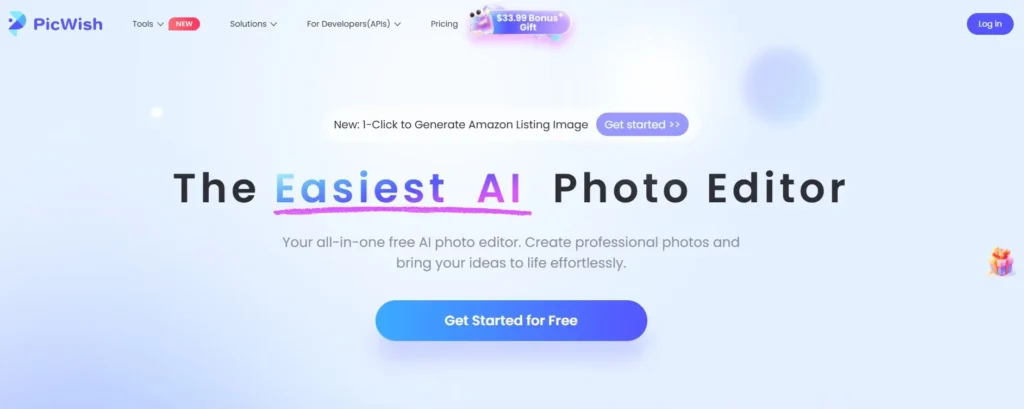
PicWish is a powerful, AI-driven photo editing platform that gives anyone — regardless of technical skill — the ability to remove backgrounds, enhance image quality, create professional product photos, and edit visuals using simple natural language commands, all for free.
Whether you run an online shop, manage social media accounts, create content for YouTube or Instagram, or simply need to clean up photos for personal use — PicWish has the tools to transform your images in seconds.
What is PicWish?
PicWish is an all-in-one AI photo editing platform developed by Apowersoft. It is available as a web-based tool accessible from any browser, as well as a downloadable desktop application for Windows and macOS, and a mobile app for both iOS and Android.
The platform is built around artificial intelligence that automates the most time-consuming parts of photo editing — removing backgrounds, sharpening blurry images, generating product photos, and creating professional visuals — tasks that previously required significant design expertise or expensive freelancers.
PicWish’s core philosophy is simple: professional photo editing should be accessible to everyone, not just designers. And with its free plan offering genuinely useful features, it has attracted millions of users worldwide across industries ranging from e-commerce to photography, marketing, and education.
PicWish Key Features: What Can It Do?
1. AI Background Remover — Remove Any Background Instantly
PicWish’s background remover is its most popular and widely used feature. Using advanced AI, it automatically detects the subject of any photo and removes the background with remarkable precision — including hair, fur, transparent objects, and complex edges that typically cause problems for manual selection tools.
Key capabilities include:
- Process up to 30 images at once in batch mode — saving hours compared to doing them one by one.
- Handles people, products, animals, cars, and objects with equal accuracy.
- Replace the background with any color, gradient, or custom image.
- Download with transparent background (PNG) for use on websites, marketplaces, or design projects.
For e-commerce sellers, this feature alone is worth the price of admission. Clean, white-background product photos are required by platforms like Amazon, Noon, Shopee, and most major marketplaces — and PicWish produces them in seconds.

2. AI Photo Enhancer — Transform Blurry Photos Into Crystal Clear Images
Have a great photo that is slightly out of focus, pixelated, or low resolution? PicWish’s AI Photo Enhancer can fix it. The tool analyzes the image, reconstructs missing detail, sharpens edges, and upscales resolution — turning a blurry, unusable photo into a crisp, professional-quality image.
This is particularly useful for:
- Old or scanned photos that need restoration.
- Screenshots or low-resolution product images that need to be printed or enlarged.
- Social media images that appear blurry when uploaded due to compression.
- Real estate photos that need sharpening and detail enhancement.
3. AI Product Photo Studio — Create Professional Product Images Instantly
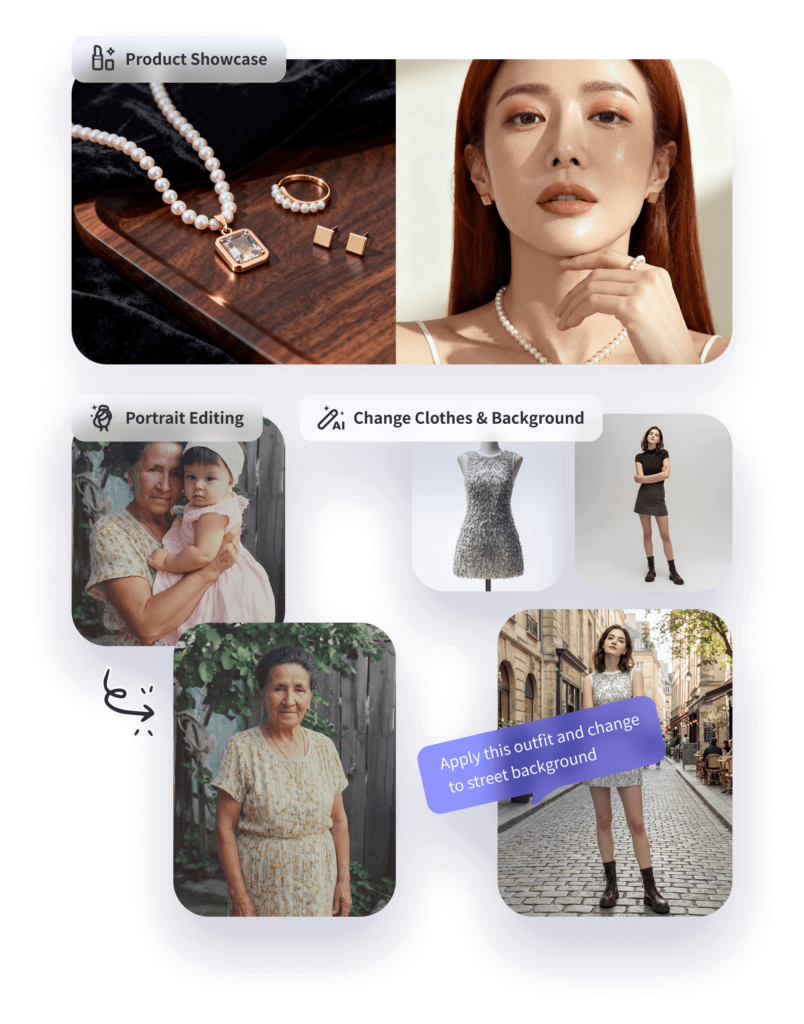
This is PicWish’s most exciting feature for e-commerce sellers and online businesses. The AI Product Photo Studio lets you create stunning, professional product photography without a physical photoshoot, a photographer, or an expensive studio setup.
You simply upload a photo of your product — even a basic phone photo against a plain background — and PicWish’s AI transforms it into a professional, marketplace-ready product image with:
- Realistic backgrounds suited to the product type and style.
- Professional lighting and shadow effects added automatically.
- Multiple scene presets — lifestyle shots, studio shots, outdoor settings, and more.
- Amazon listing image generation with one click — including the new 1-Click Amazon Listing Image feature.
For online sellers, this replaces hundreds or thousands of dollars in photography costs per product. You can create an entire product catalog of professional images in a single afternoon using just your smartphone camera and PicWish.

4. AI Designer — Edit Photos Using Natural Language
One of PicWish’s most unique and innovative features is its AI Designer — a tool that lets you edit photos simply by describing what you want in plain language, just like chatting with an assistant.
For example, you can type: ‘Change the background to a sunset beach’ or ‘Make the colors more vibrant and add soft lighting’ or ‘Remove the person in the background’ — and PicWish’s AI will apply the edit automatically.
This removes the need to learn complex editing tools, menus, and shortcuts. If you can describe what you want, you can create it.
5. Object Remover — Erase Unwanted Elements
The AI Object Remover lets you select and erase any unwanted element from a photo — a photobomber in the background, an unwanted logo, a distracting object, a power line, or a watermark — and PicWish fills in the area seamlessly using AI-powered inpainting. The result looks natural, as if the object was never there.
6. Image Compressor & Format Converter
PicWish also includes practical utility tools that every online business needs:
- Image Compressor: reduce file sizes without visible quality loss — essential for fast-loading websites and e-commerce stores.
- Format Converter: convert between JPG, PNG, WebP, and other formats instantly.
- Batch processing: apply these tools to multiple images simultaneously.
7. Available on All Platforms
PicWish is available on every major platform — you can use it in your web browser without installing anything, download the desktop app for Windows or macOS for more power and speed, or use the mobile app on iOS or Android for on-the-go editing.
Try PicWish for free and transform your photos today:
PicWish for E-Commerce: A Game Changer for Online Sellers
If you sell products online — whether on Amazon, Shopee, Noon, Etsy, eBay, or your own website — PicWish is one of the most practical tools you can add to your workflow. Here is exactly how it helps:
Professional Product Photos Without a Studio
Upload any product photo taken on your phone. PicWish removes the background, adds professional lighting and a clean or lifestyle background, and produces a marketplace-ready image in seconds. This replaces expensive product photography sessions that typically cost $50–$200 per product.
Amazon Listing Images in One Click
PicWish’s newest feature generates Amazon listing-optimized product images automatically — including the correct dimensions, white background requirements, and professional framing that Amazon’s algorithm and shoppers prefer. This alone can significantly improve your click-through rate and conversion rate on Amazon.
Batch Processing for Large Catalogs
If you have 50 or 500 products, PicWish’s batch background removal and batch enhancement tools let you process entire product catalogs at once. Instead of editing images one by one for hours, you can process a full catalog in minutes.
Consistent Visual Branding
Using PicWish’s templates and AI backgrounds, you can apply consistent visual styling across all your product photos — making your store look professional and cohesive, which builds trust with buyers and strengthens your brand.
PicWish Pricing — Free vs Pro
PicWish offers a genuinely useful free plan alongside affordable paid options:
Free Plan
- Background removal — free with watermark-free download available for a limited number of images.
- Photo enhancement — available on free plan.
- AI Designer — basic access included.
- Object removal — available with usage limits.
- Batch processing — available with daily limits.
- Web, desktop, and mobile access.
The free plan is more generous than most competitors and is suitable for light to moderate use — ideal for testing the platform before upgrading.
Pro Plan
- Unlimited background removals with full HD downloads.
- Unlimited photo enhancements.
- Full AI Product Studio access — unlimited product photo generations.
- Unlimited AI Designer edits.
- Unlimited batch processing — up to 300 images at a time.
- Priority processing speed.
- No watermarks on any output.
The Pro plan pricing is competitive and varies by subscription length — monthly, quarterly, and annual plans are available, with the annual plan offering the best value. Visit picwish.com for the current pricing details.
Who is PicWish Best For?
E-Commerce Sellers
Anyone selling physical products online will immediately see the value. PicWish eliminates the need for professional photography, background removal services, and expensive design software — all of which e-commerce sellers typically spend significant money on.
Social Media Managers and Content Creators
Content creators who produce images for Instagram, TikTok, Pinterest, or YouTube thumbnails will find PicWish invaluable for creating visually polished, professional-looking content quickly without needing Photoshop skills.
Photographers
Professional and amateur photographers can use PicWish to batch-enhance and edit photos, remove distracting backgrounds, restore old or blurry images, and deliver polished final photos to clients faster.
Marketing and Advertising Teams
Marketing teams can use PicWish to create ad creatives, product visuals, and campaign images without relying on a design team for every request — dramatically reducing turnaround time and production costs.
Small Business Owners
Any small business owner who needs professional-looking images for their website, social media, or print materials can use PicWish to create them without hiring a designer or photographer.
PicWish vs Competitors: How Does It Stack Up?
- vs Remove.bg: Remove.bg focuses exclusively on background removal with no additional editing tools. PicWish offers background removal plus photo enhancement, AI product studio, object removal, AI designer, and more — all in one platform.
- vs Canva: Canva is a design tool with basic background removal. PicWish specializes in AI photo editing with significantly stronger enhancement, background removal accuracy, and product photo generation capabilities.
- vs Adobe Photoshop: Photoshop is the industry standard for professional editing but requires expensive subscription ($55+/month) and months of learning. PicWish delivers comparable results for common editing tasks in seconds, for free or at a fraction of the cost.
- vs Fotor: Fotor is a general photo editor with AI features. PicWish’s background removal and product photo studio are significantly more powerful and produce better results for commercial product photography.
- vs Pixlr: Pixlr is a Photoshop-like editor requiring manual skills. PicWish automates everything, making it accessible to anyone regardless of editing experience.
PicWish’s biggest competitive advantage is its combination of AI accuracy, batch processing capability, product photo studio, and cross-platform availability — all at a price point that makes it accessible for individuals and small businesses.
Ready to create stunning product photos with PicWish?
How to Get Started with PicWish — Step by Step
- Visit picwish.com — no download or installation required to start.
- Click ‘Get Started for Free’ and create a free account in under 30 seconds.
- Choose your tool — Background Remover, Photo Enhancer, AI Product Studio, or AI Designer.
- Upload your photo — drag and drop or click to browse your files.
- Let the AI process your image — most tools complete in 3–10 seconds.
- Review the result and make any adjustments using the editing tools.
- Download your edited image — free users get standard quality, Pro users get full HD.
For batch processing, upload multiple files at once and download them all as a ZIP file when processing is complete. The entire workflow from upload to download typically takes less than 60 seconds per image.
Honest Pros and Cons of PicWish
✅ Pros
- Completely free to start — no credit card required, with genuinely useful free-tier features.
- AI background removal is fast, accurate, and handles complex subjects like hair and fur.
- Batch processing — handle up to 30 files simultaneously on the free plan.
- AI Product Photo Studio produces professional, marketplace-ready images without a real photoshoot.
- Amazon listing image generation with one click — a major time and money saver.
- AI Designer lets you edit using plain language — no Photoshop skills needed.
- Available on web, Windows, macOS, iOS, and Android.
- Fast processing — most edits complete in under 10 seconds.
- Highly rated by users — 5 stars across multiple platforms for ease of use and result quality.
⚠️ Cons
- Free plan includes watermarks on some outputs — upgrading to Pro removes them entirely.
- Very complex images with intricate details may occasionally require manual touch-ups after AI processing.
- The AI Designer is still improving — highly specific or unusual editing requests may not always produce the exact result described.
- Pro plan pricing requires visiting the website for current rates — they are not displayed prominently on the homepage.
Tips to Get the Best Results from PicWish
- Start with a clean, well-lit photo: AI tools work best with clear, well-lit subject photos — even on a simple background. Better input = better output.
- Use batch mode for product catalogs: If you have multiple products to process, always upload them all at once using batch mode to save time.
- Try multiple AI backgrounds: The AI Product Studio offers multiple background options — always generate 3–4 variations and choose the one that best suits your brand and marketplace.
- Use the Object Remover before enhancing: If your photo has distracting elements, remove them first with the Object Remover, then run the Enhancer for the best final result.
- Download as PNG for transparent backgrounds: Always download with a transparent background if you plan to place your product on different backgrounds in the future — it gives you maximum flexibility.
- Use the AI Designer for quick creative edits: Describe your vision in simple language — ‘warm studio lighting with a wood background’ — and let the AI do the work.
Conclusion
PicWish is one of the most practical and accessible AI photo editing tools available today. For e-commerce sellers especially, it solves a real, expensive problem — professional-quality product photography — in a way that is fast, affordable, and requires zero design skills.
The background remover is genuinely best-in-class, the AI Product Studio produces results that would otherwise cost hundreds of dollars per product in photography fees, and the AI Designer makes advanced editing accessible to complete beginners.
For content creators, marketers, photographers, and small business owners, PicWish offers a comprehensive set of AI-powered tools that can replace multiple separate subscriptions at a fraction of the combined cost.
With a free plan that requires no credit card and delivers real, usable results from the first minute — there is no reason not to try PicWish today.
Try PicWish Free Today
No download required. No credit card needed. Start editing in 30 seconds.
Click Here to Try PicWish for Free
If you want more online tools to help you run your business, check out these articles.