Table of Contents
Introduction
Think about the last time you had to create a presentation from scratch. You probably spent hours picking a template, arranging slides, writing content, finding images, and fixing the layout — only to end up with something that looked just average.
Or maybe you had a long PDF report or research paper to read, but no time to go through it page by page. Or you needed to write a blog post, a business proposal, or a product description — and just stared at a blank page not knowing where to start.
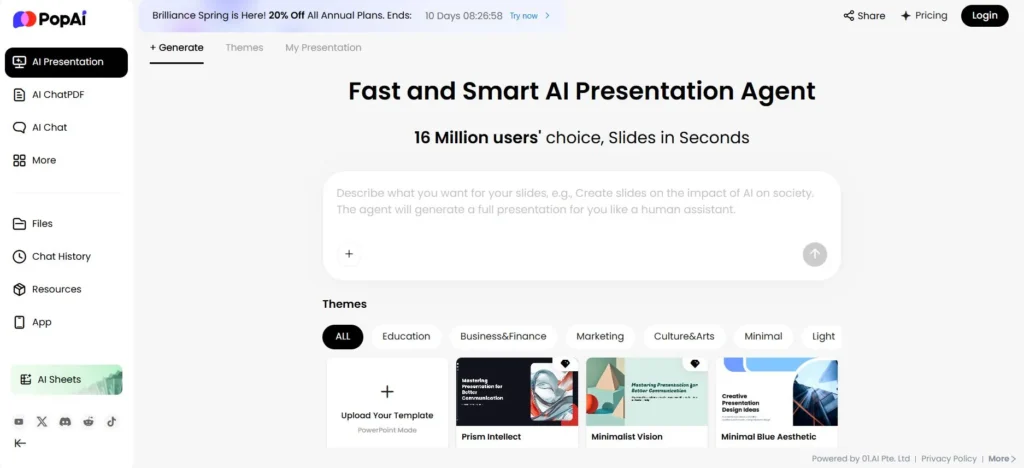
PopAI was built to solve all of these problems at once. It is an all-in-one AI productivity workspace that can generate complete, professional presentations in seconds, chat with your PDF documents to extract key information instantly, write full articles and reports using AI, create stunning images, and much more — all from a single, easy-to-use platform.
Powered by the world’s most advanced AI models — including GPT-4, Claude Sonnet/Opus, Gemini Pro, and DeepSeek — PopAI brings enterprise-grade AI power to students, freelancers, content creators, business owners, and teams of all sizes.
What is PopAI?
PopAI (popai.pro) is a web-based AI productivity platform that combines multiple powerful AI tools into one clean, intuitive workspace. Unlike single-purpose AI tools that do just one thing, PopAI brings together everything a modern professional or student needs to create, research, and communicate — all in one place.
The platform is built around five core capabilities:
- AI Presentation Generator — create beautiful, professional slide decks from a simple prompt, document, or URL in seconds.
- AI Chat with PDF — upload any PDF or document and ask questions about it, get summaries, extract data, and generate mind maps.
- AI Writer — generate essays, reports, blog posts, product descriptions, and long-form content using GPT-4.
- AI Image & Video Generator — create original images and videos from text descriptions.
- AI Flowchart & Mind Map — turn complex ideas and documents into clear visual diagrams automatically.
PopAI is fully web-based — no download or installation needed. You can access it from any device with an internet connection.
PopAI Key Features: A Deep Dive
1- AI Presentation Generator — Create a Full Slide Deck in 30 Seconds
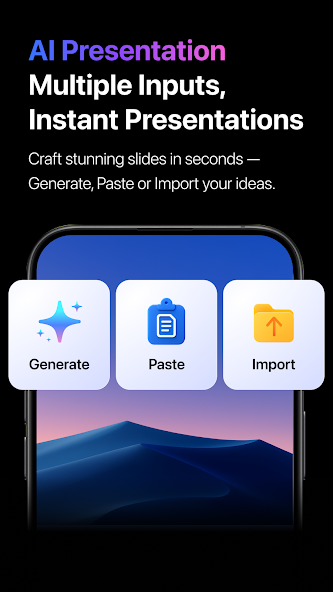
This is PopAI’s flagship feature. The AI Presentation Generator can turn any of the
following into a complete, fully designed presentation almost instantly:
- A topic or prompt — just type what your presentation is about.
- Pasted text — copy and paste your outline or raw notes.
- An uploaded document — PDF, DOCX, or PPTX files are all supported.
- A URL — paste a webpage link and PopAI extracts the content and builds slides
from it.
Once you provide your input, PopAI’s AI generates a structured outline first — which
you can review and adjust — then builds the full presentation complete with
professional layouts, relevant images, charts, and formatted text. The final result
exports as a standard PPTX file or PDF.
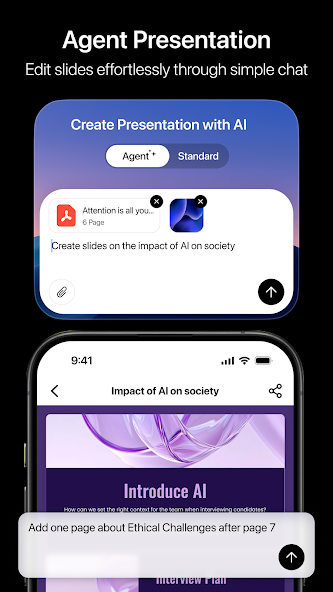
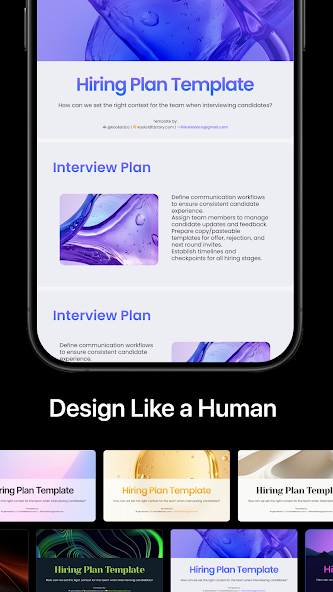
PopAI is also one of the few AI presentation tools that tailors the design to the audience.
A presentation built for a corporate boardroom will have a different visual style and tone
than one built for a university class — and PopAI understands this distinction
automatically.
2- AI Chat with PDF — Talk to Your Documents
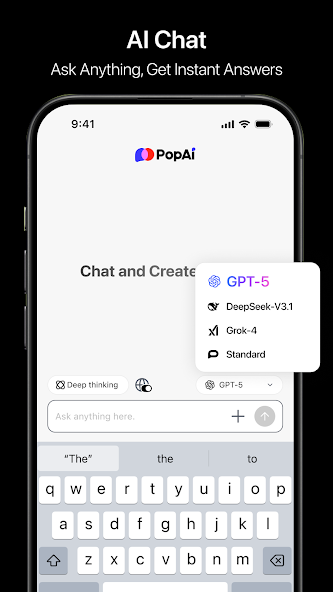
Imagine uploading a 200-page research report and asking: ‘What are the three main
conclusions?’ and getting an accurate answer in seconds. That is exactly what PopAI’s
Chat with PDF feature does.
This feature supports:
- PDF files, Word documents (.docx), and PowerPoint files (.pptx).
- Files up to 5,000 pages on premium plans.
- Multilingual OCR — it can read scanned documents in multiple languages.
- Document-to-mind-map conversion — automatically generating visual mind
maps from uploaded files. - Question answering, summarization, data extraction, and content analysis.
3- AI Writer — Generate Professional Content in Any Format
Whether you need a full blog post, a business proposal, an academic essay, a product
description, or a social media caption — PopAI’s AI Writer can generate it using GPT-4-
level intelligence.
- Long-form content: articles, reports, and research papers up to thousands of
words. - Business content: proposals, executive summaries, pitch decks, and meeting
notes. - E-commerce content: product descriptions, ad copy, and email newsletters.
- Academic writing: essays, literature reviews, and structured research outlines.
- Multilingual content: generate or translate content in multiple languages.
4- AI Image & Video Generator
PopAI includes a built-in AI image and video generator. Describe what you want — a
product image, a social media graphic, a banner, an illustration — and PopAI creates it
using multiple AI models including Qwen, Seed, and Kling.
5- AI Flowchart & Mind Map
PopAI can automatically convert any document, text, or prompt into a structured
flowchart or mind map — perfect for visualizing complex processes, summarizing long
documents, or organizing ideas for a team.
Try all of PopAI’s features for free today:
👉 Try PopAI Free — Click Here
How to Create a Presentation with PopAI — Step by Step
- Go to popai.pro and create a free account — it takes 30 seconds.
- Click on ‘AI Presentation’ from the main dashboard.
- Choose your input method: type a topic, paste text, upload a file, or enter a URL.
- Set your preferences — number of slides, target audience, and style.
- PopAI generates a structured outline. Review and approve or adjust it.
- Browse and select a template from the library.
- PopAI builds the full presentation — slides, content, images, and layout —
automatically. - Edit any text, swap images, or change colors as needed.
- Download as PPTX or PDF and you’re done.
From step one to a finished presentation — most users are done in under three
minutes.
Who is PopAI Best For?
Students and Academics
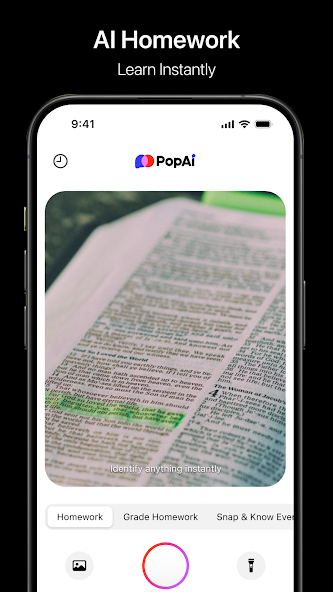
PopAI is a game-changer for students. Upload your research paper and let PopAI turn it into slides. Chat with a dense academic journal to extract key points. Draft your essay outline with AI Writer. It covers nearly every common academic task.
Freelancers and Content Creators
Create client proposals, reports, and presentations in a fraction of the time. Use the AI Writer for blog posts and scripts, the image generator for visuals, and the presentation tool for pitch decks.
E-Commerce Sellers and Online Business Owners
Online sellers can use PopAI to:
- Write compelling product descriptions and ad copy using AI Writer.
- Create professional supplier pitch decks and business proposals.
- Generate original product photos and marketing visuals with AI Image.
- Build investor or partner presentations in minutes.
- Summarize competitor reports and market research PDFs instantly.
Marketing and Sales Teams
Produce client presentations, campaign decks, and competitive analysis reports significantly faster. Sales teams can turn product documentation into polished sales decks without needing a design team.
Educators and Trainers
Convert lesson plans and training materials into beautifully designed slide presentations automatically. The AI understands different audience levels and adjusts complexity accordingly.
PopAI Pricing — Free vs Pro vs Unlimited
Free Plan — $0/month
- 1 AI presentation per month.
- 1 file upload per week (up to 20 pages per PDF).
- 5 AI writing documents per week.
- 1 AI image generation per month.
- Access to core AI chat features.
Pro Plan — $12/month
- 15 AI presentations per month.
- 30 document uploads per day.
- Multilingual OCR support.
- AI mind maps included.
- 30 AI writing tasks per day.
- 1 AI image or video per day.
- Access to GPT-4 and advanced AI models.
Unlimited Plan — $47/month
- Unlimited presentations, document chats, and AI writing.
- Unlimited image and video generation.
- Watermark-free exports on all content.
- Unlimited GPT-4 interactions.
- Up to 5,000 pages per PDF upload.
- Priority access to new features and models.
Even at $47/month, the Unlimited plan compares very favorably to paying separately for a presentation tool, a PDF reader, an AI writer, and an image generator — all of which would cost significantly more combined.
PopAI vs Other AI Tools
- vs Gamma: Gamma is focused purely on presentations. PopAI covers presentations plus PDF chat, AI writing, image generation, and more in one platform.
- vs Canva AI: Canva is design-first. PopAI is AI-first with stronger content generation, PDF tools, and document-to-slide conversion.
- vs ChatGPT: ChatGPT cannot directly create formatted presentations or read PDFs natively. PopAI builds complete, download-ready presentations and handles PDFs out of the box.
- vs Microsoft Copilot: Copilot requires Microsoft 365 and costs $30/user/month for AI features. PopAI offers comparable capabilities starting at $12/month.
The biggest advantage PopAI has over all competitors is its all-in-one approach — instead of paying for and switching between four or five separate tools, PopAI brings everything together at a fraction of the combined cost.
Start using PopAI for free — no credit card required:
Honest Pros and Cons of PopAI
✅ Pros
- All-in-one AI workspace — presentations, PDF chat, writing, images, and flowcharts in one place.
- Powered by GPT-4, Claude Opus/Sonnet, Gemini Pro, and DeepSeek.
- No installation needed — fully web-based and accessible from any device.
- Generates complete, download-ready presentations in under 60 seconds.
- Supports document-to-presentation conversion from PDF, DOCX, PPTX, and URLs.
- Free plan available — no credit card required to get started.
- Exports to standard PPTX and PDF formats, fully compatible with PowerPoint and Google Slides.
⚠️ Cons
- The free plan is limited — only 1 presentation and 1 file upload per week.
- AI-generated presentations sometimes require manual editing for brand-specific formatting.
- Some users report difficulty cancelling subscriptions — always cancel via your App Store or Google Play account settings.
- Quality improves significantly with more detailed prompts — vague inputs can produce generic results.
Tips to Get the Best Results from PopAI
- Be specific with prompts: Instead of ‘Create a marketing presentation’, try ‘Create a 12-slide marketing presentation on social media strategy for e-commerce businesses targeting 25–35 year olds, with a modern corporate style.’
- Use the URL import feature: Paste any webpage link and PopAI extracts the content and builds slides automatically.
- Always review the outline first before PopAI builds the full presentation — adjusting it takes 30 seconds and saves editing time later.
- Combine AI Writer + AI Presentation: Draft your content in AI Writer first, then paste it into the Presentation tool for automatic formatting.
- Export to PowerPoint for final touches: Download as PPTX and open in PowerPoint or Google Slides to make brand-specific changes.
Conclusion
PopAI is one of the most complete and practical AI productivity tools available today. The combination of AI presentation generation, PDF chat, writing assistance, image creation, and flowcharting — all in a single, easy-to-use web platform — makes it genuinely stand out.
For students, it dramatically reduces time spent on research and presentations. For freelancers and business owners, it eliminates the need for multiple separate subscriptions. For content creators, it opens up new possibilities with AI-generated visuals and written content.
At $12/month for the Pro plan, PopAI offers exceptional value. And with a free tier that requires zero commitment, there is no reason not to test it yourself today.
If you create presentations, work with documents, or produce content for your business or studies — PopAI will save you hours every single week.
Start Using PopAI Free Today
No download. No credit card. Ready in 30 seconds.
Click Here to Try PopAI for Free
If you want more online tools to help you run your business, check out these articles.